
Lead Details
Every lead carries the intel you need to write a great email. Here's where to find it.
On Find Leads
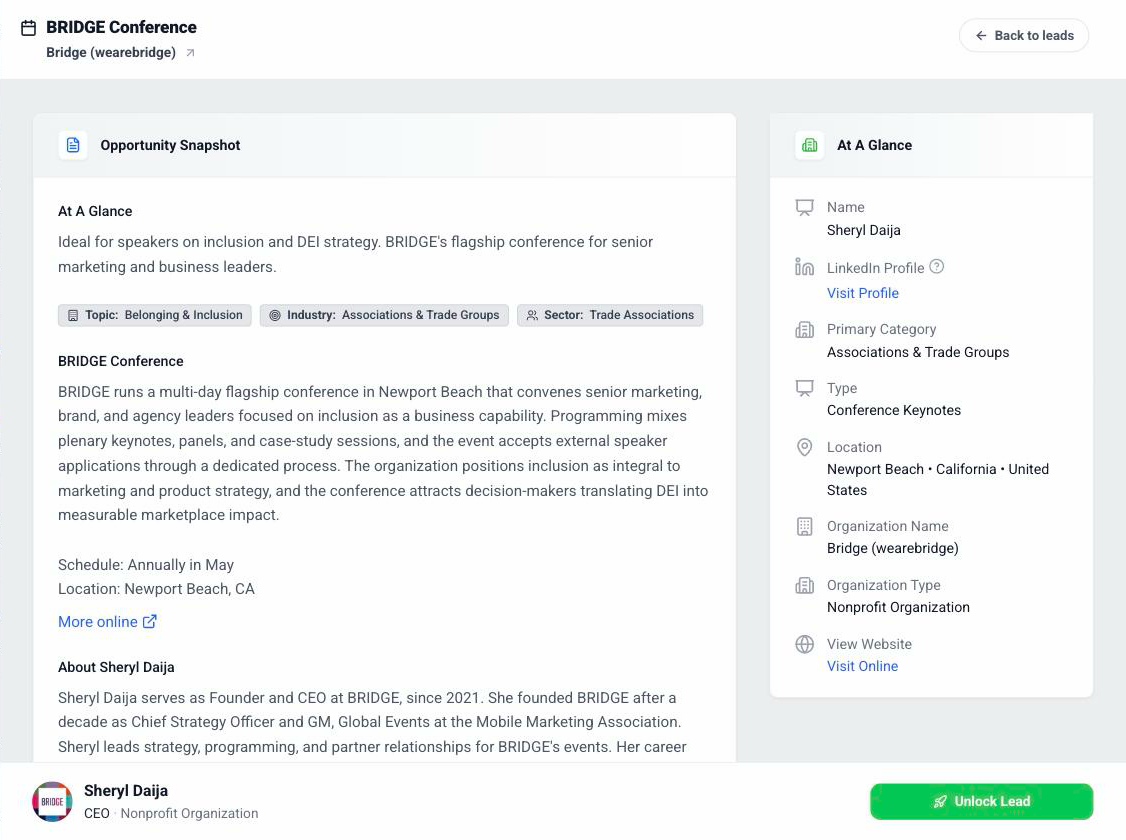
Click a lead's name and its details open on the right.
At the top: the Opportunity Snapshot, with the topic, the event description, the schedule, the location, and a note about the contact.
Beside it: At A Glance, with the contact's name and LinkedIn, the organization, and a link to its website.
The fee range sits right on the row, so you see it before you click.
Tip: The "Ideal for" line is our quick read on why this lead fits you.
You can unlock right from here with the Unlock Lead button at the bottom. The drawer with your emails opens in its place.
Once it's unlocked
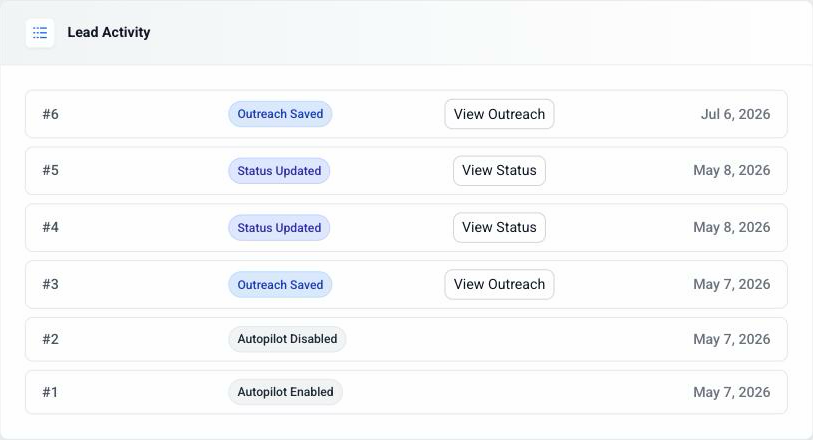
An unlocked lead gets its own page. Open it from Autopilot or from your leads list.
You'll find the full picture there: Opportunity Snapshot, At A Glance, Investment Profile (the fee potential and why), Organization Profile, and Lead Activity.
Lead Activity is the log. Every email sent and every status change, with the date.
Under Lead Actions you'll see the contact's address and View Saved Outreach, which opens the emails for that lead.
Tip: If someone else at the organization answers instead of the person you emailed, we say so on the reply.