
How To Use Email Templates
Use your own copy alongside, or instead of, the emails SpeakerDrive writes. Then test what gets the best replies.
Turn them on
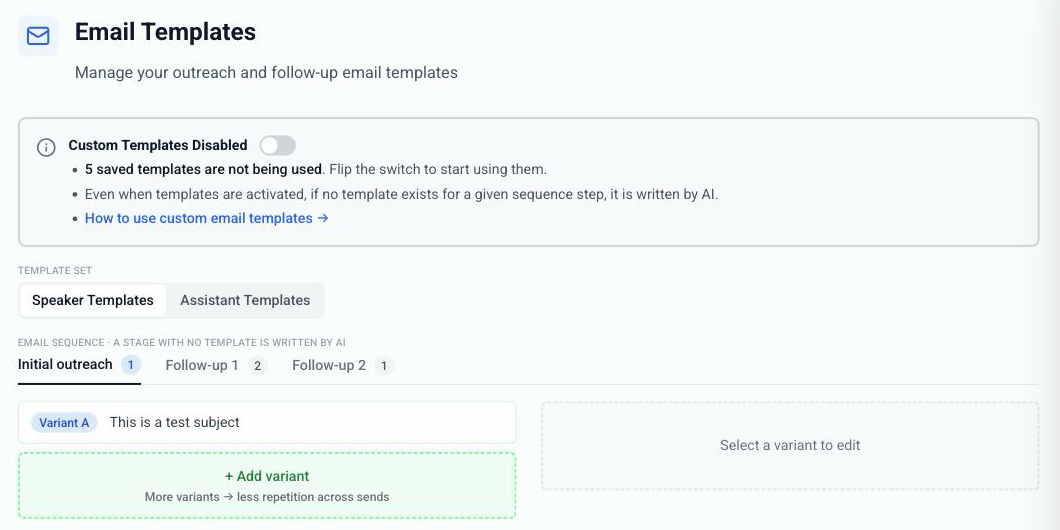
Head to Settings → Email Templates.
Templates are off until you flip the Custom Templates switch at the top. Write them first, then flip it on.
Mix and match
You'll see three stages: Initial outreach, Follow-up 1, Follow-up 2.
Fill any stage with your own copy. Leave a stage empty and SpeakerDrive writes that one. Each tab shows how many templates it holds.
Add a variant
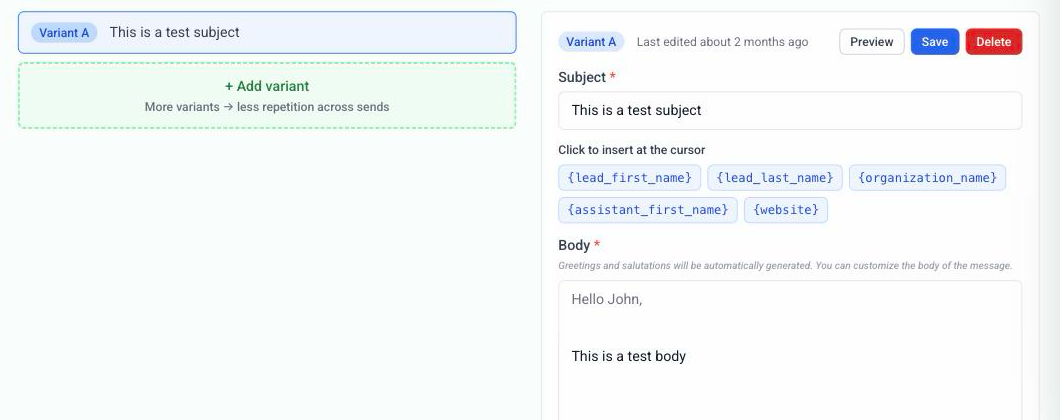
Click + Add variant in a stage and write your subject line and body.
Skip the greeting and the sign off. Both are added for you.
Drop in the lead's first name, their organization, or your website with the chips above the editor. Click one and it lands right where your cursor is.
Test automatically
Add two or more variants to a stage and SpeakerDrive rotates between them. More variants, less repetition across sends, and your own A/B test with no setup.
Speaker vs assistant
Speaker Templates and Assistant Templates are separate sets. Write them separately so the copy matches who's sending.
Where your templates show up
Everywhere. The three emails written at unlock, and every Autopilot send.
Questions? Reach out to support.