
What's New: Spring 2026 Update
We just wrapped up a major update to SpeakerDrive - the biggest one since our Autopilot feature. We've overhauled the database, improved lead quality, added smarter search tools, and introduced a brand-new way to protect your unlocks.
We’ve even extended your contact exclusivity window to 3 full weeks. That means when you unlock a contact, they're yours and only yours for 21 days. No other speakers can see or reach out to them through SpeakerDrive while your window is active.
Here's everything that changed and why it matters for your outreach.
Search & Filtering
Filter by Speaker Topic
You can now filter leads by what speakers actually talk about. Whether your expertise is in Leadership, AI & Technology, Mental Health & Wellbeing, or any of 16 topic categories — you can zero in on the events and decision-makers that are the best fit for your specific message.
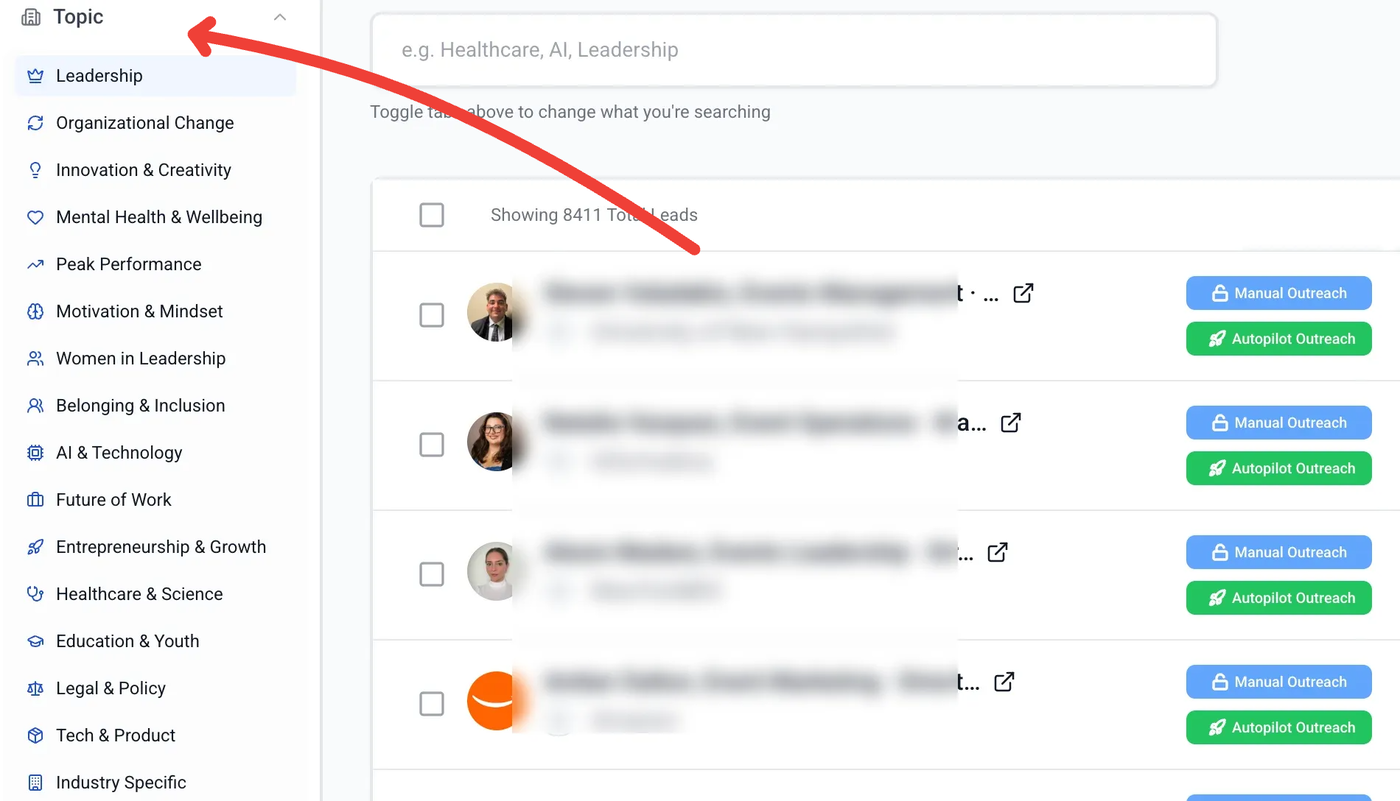
Less scrolling, more relevant leads.
Smarter Search with Autocomplete
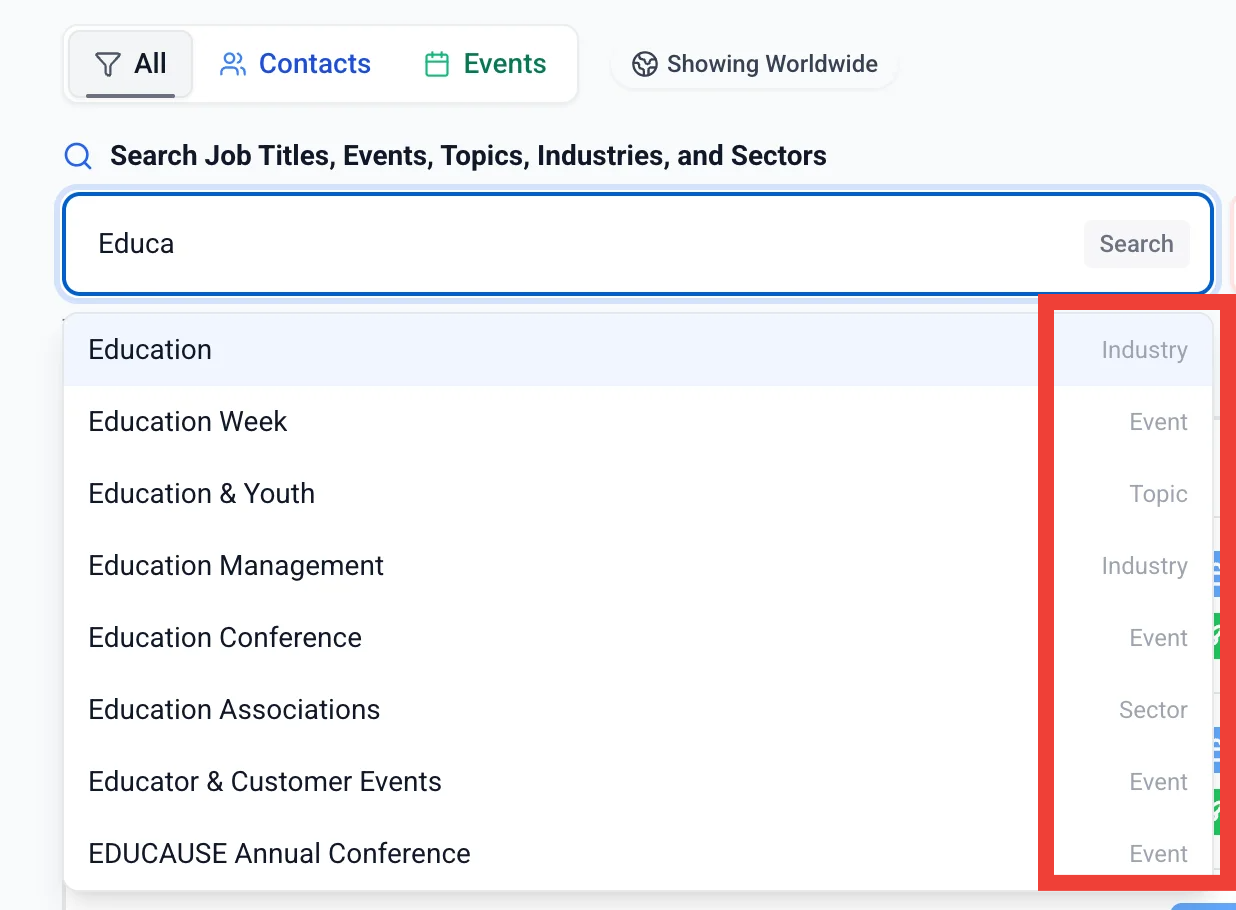
The search bar just got a major upgrade. Start typing and you'll see instant suggestions — no more guessing at exact keywords.
On the All tab, results pull from across job titles, events, topics, industries, and sectors all at once. Each suggestion is labeled so you know exactly what type of result you're looking at.
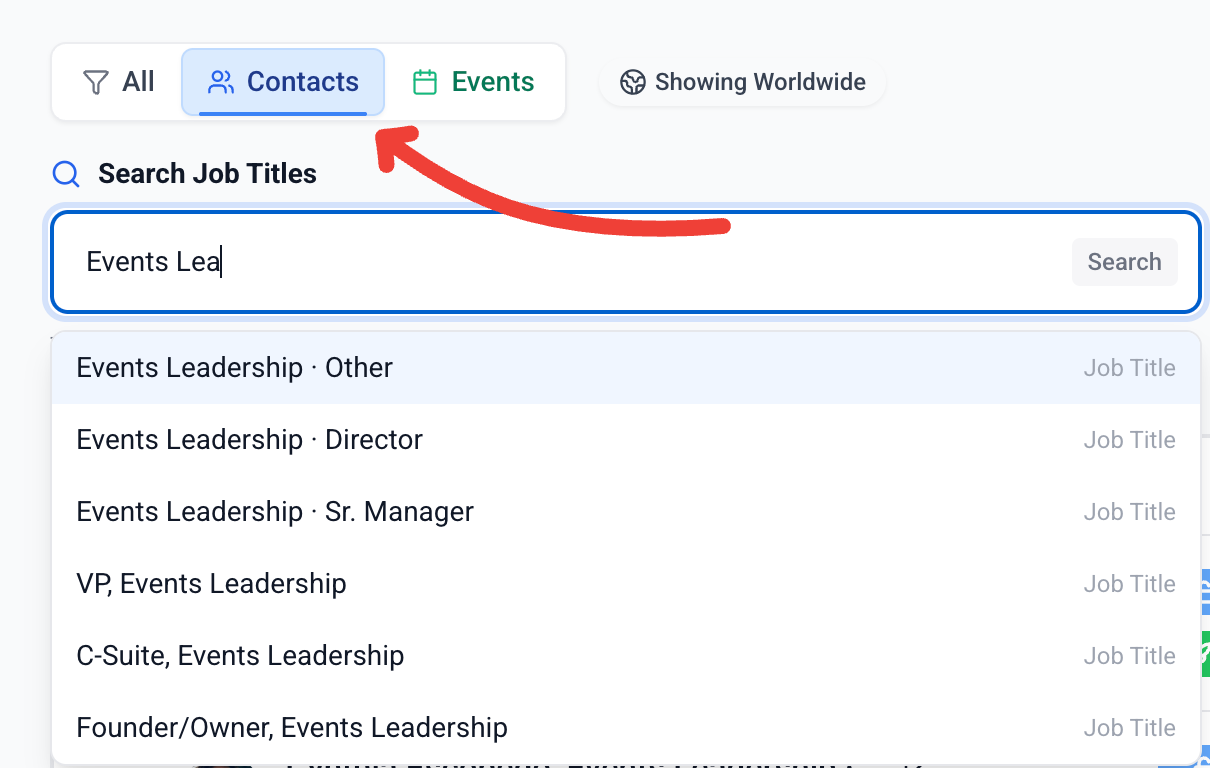
Switch to the Contacts tab to search by job title — you'll see results broken down by role and seniority level (Director, VP, C-Suite, etc.), so you can target exactly the right decision-maker.
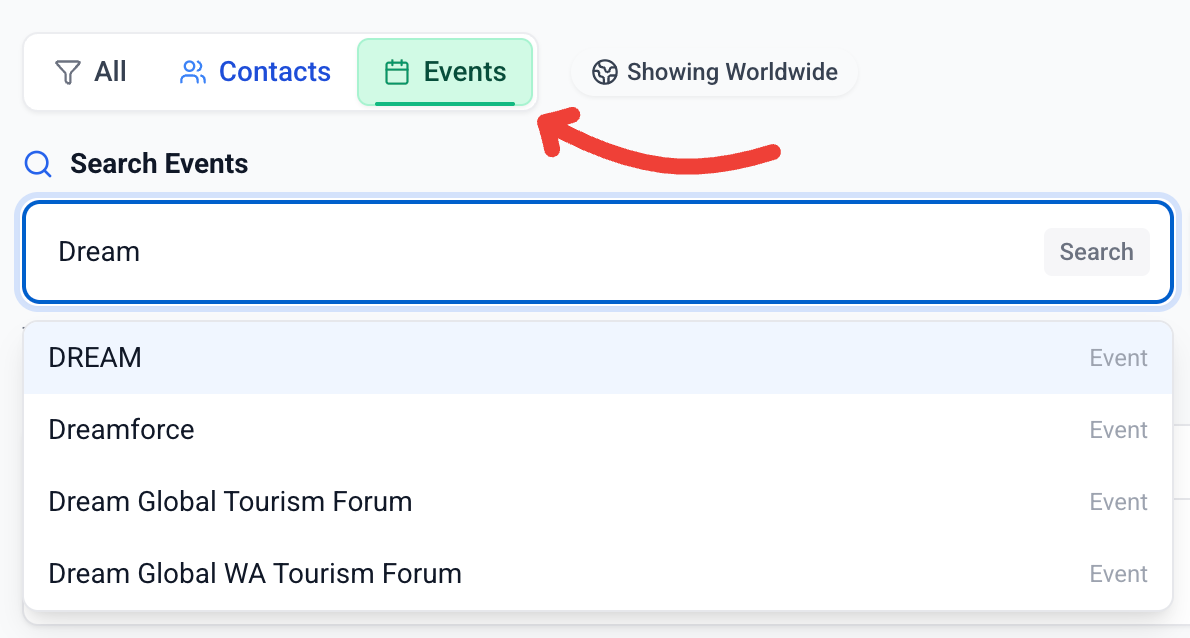
On the Events tab, search for specific events by name to find the conferences and programs you already know you want to get in front of.
Richer Event Intelligence
Every lead now includes an Opportunity Snapshot with detailed event info — topic, industry, sector, schedule, location, and a direct link to learn more about the event online.
But here's where it gets REALLY powerful. The AI email composer actually understands all of this. It knows when an event is coming up, when it's happening right now, when it just wrapped - and everything in between.
Your outreach adjusts automatically. If an event is months away, the messaging focuses on planning timelines. If it's right around the corner, the tone shifts. And if you happen to reach out during a live event, it won't awkwardly pitch you as a speaker - it'll acknowledge what they're in the middle of.
Every message reads like you actually checked the calendar before hitting send.

Bulk Unlock + Add to Autopilot
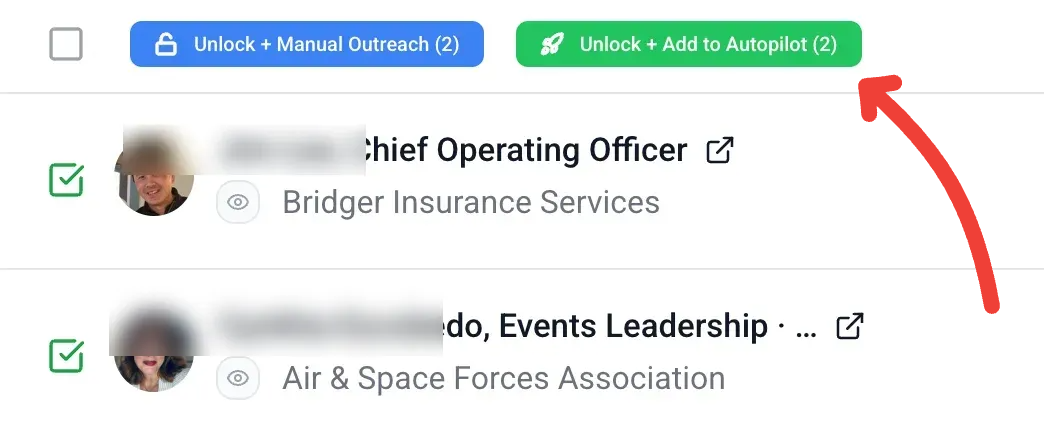
You can now select multiple leads at once and either unlock them for manual outreach or unlock and add them straight to Autopilot. All in one click.
This means you can realistically set up a full month (or more) of outreach in a single sitting. Browse, select the leads you like, hit "Unlock + Add to Autopilot," and you're done.
Autopilot handles the rest.
Top-Up Leads & Automatic Refunds
We regularly audit every lead in our database for accuracy. When a contact's email goes stale — like when someone leaves a company — that lead gets archived automatically and your unlock is automatically refunded. And, it’s refunded as a Top-Up credit. No action needed on your end.
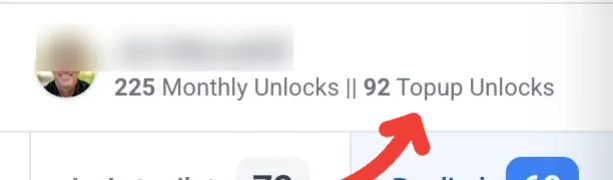
Top-Up credits are different from your monthly unlocks: they never expire and roll over month-to-month as long as your subscription is active. You can see your Top-Up balance right next to your monthly unlocks at the top of the dashboard.
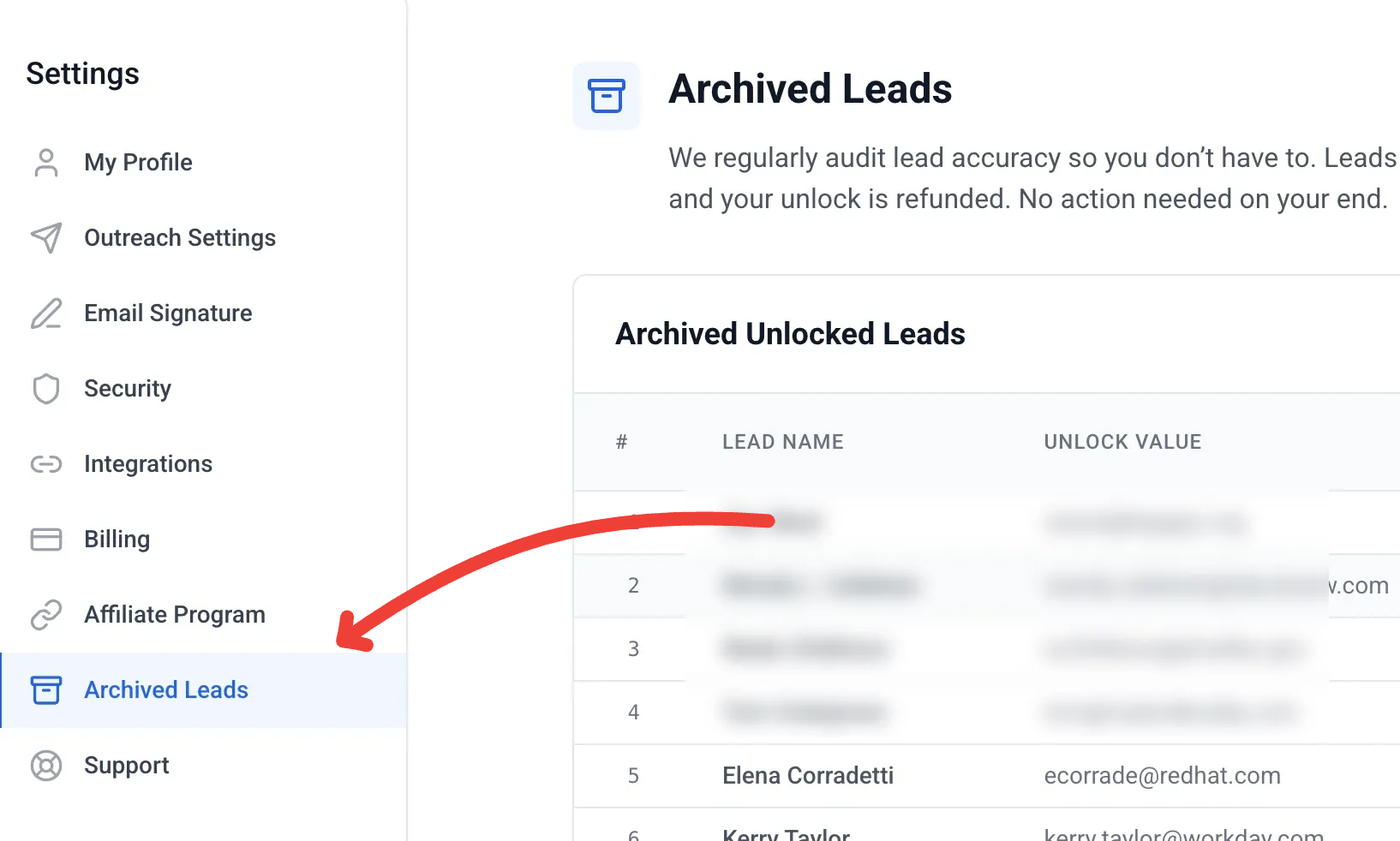
Want to see which leads were archived? Head to Settings → Archived Leads for the full list. You can still download the contact info if you'd like to keep it.
→ Learn more: What Are Top-Up Leads? (FAQ)
What's Next
We're not done. More improvements are on the way — better outreach templates, expanded event coverage, and more ways to make your pipeline work harder for you.
Questions? Reach out to our support team anytime.